Automate corporate processes
Use low-code and Agentic automation to build modern solutions for your company in the AI era.

Document and Records Management
Store all electronic documents in a centralized storage with an organized access control model. Regardless of how an electronic document is created — from paper or received through company workflows from electronic sources — in any case, the system ensures every file is fully traceable with a complete activity history, allows you to find the required document by its attributes (document parameters), and shows the necessary links between the document and other records in the repository.
Document Flow

Accelerating a company's operational processes is achieved by converting documents into electronic form. Signing, approving, and reviewing various types of documents, such as contracts and invoices, can be fully transitioned to an electronic format.
The approval process should take into account all the specific features of the company and its organizational structure, including employee absences or substitutions. The system stores the entire history of approvals and document changes, so at any time you can refer to this information to resolve disputes.
Document-Oriented Chats

BRIX365 embeds dedicated discussion threads directly inside each document record. All conversations are stored in one place — no more lost details in WA. At any time, you can review the conversation history to identify small but important details related to the document.
Discussions are restricted exclusively to authorized users, protecting confidential data and ensuring history is preserved even after team members transition off the project.
Start with ready-to-use solutions

BRIX365 helps companies move away from paper and manage documents digitally. Get started quickly with ready-to-use solutions you can easily customize — for example, invoice approval.
Approval workflows and document parameters can be easily adapted to fit the specifics of your company.
Workflow Automation
BPMS (business process management system) is a class of corporate information systems for digitizing business processes. They allow the company to be flexible and responsive to market changes. BPM system will help model business processes, monitor them, identify bottlenecks and points for improvement.
Modeling of business processes
in an intuitive designer

Transform complex business logic into clean, visual workflows using a drag-and-drop interface. Business analysts and process owners can map out end-to-end operations entirely on their own, drastically reducing development cycles and ensuring that your actual software workflows perfectly match real-world business requirements.
Every step, rule, and data point can be quickly modified by business users to match the exact operational realities of your company.
BPMN 2.0 Standard Elements
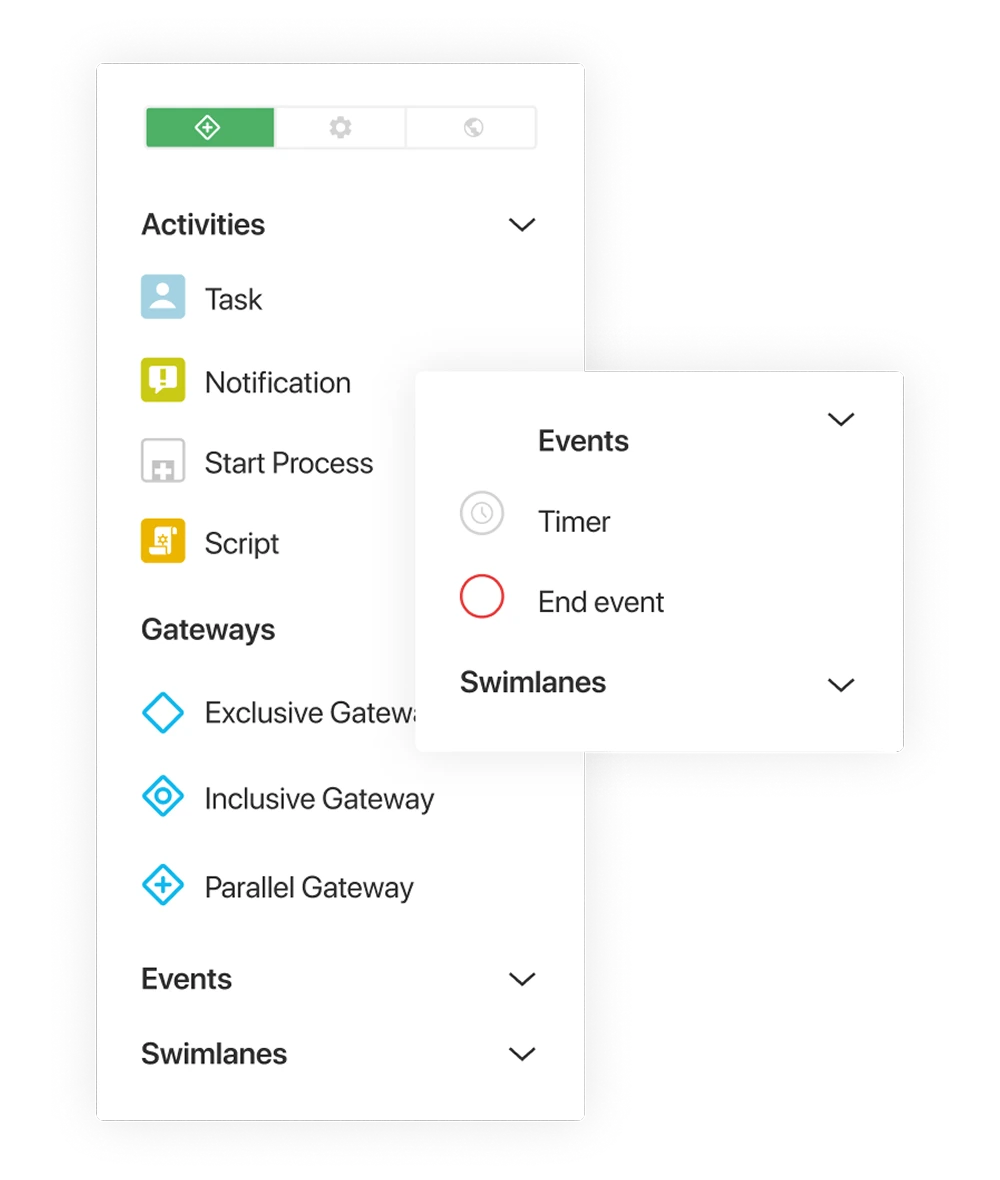
Business processes in BRIX are described using standard graphical elements of BPMN 2.0 notation. In the diagram, executors are represented as swimlanes, and their actions are shown as sequential tasks. Decision points are indicated by gateways, and time-based events by timers. There are also special blocks for notifications and subprocesses. This approach makes the process chart easy to understand for a wide audience, from technical specialists to business users.
Extended notation
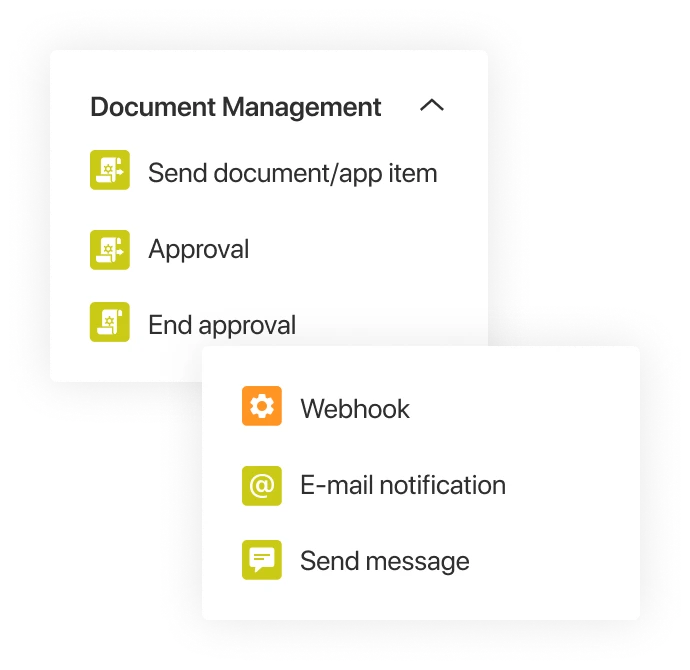
Along with the standard BPMN elements, BRIX365 offers pre-built enterprise components such as activities for approvals, digital signatures, and document generation. Use webhooks to trigger instant SMS or email notifications, and statuses to track the process progress.
Flexible task form customization
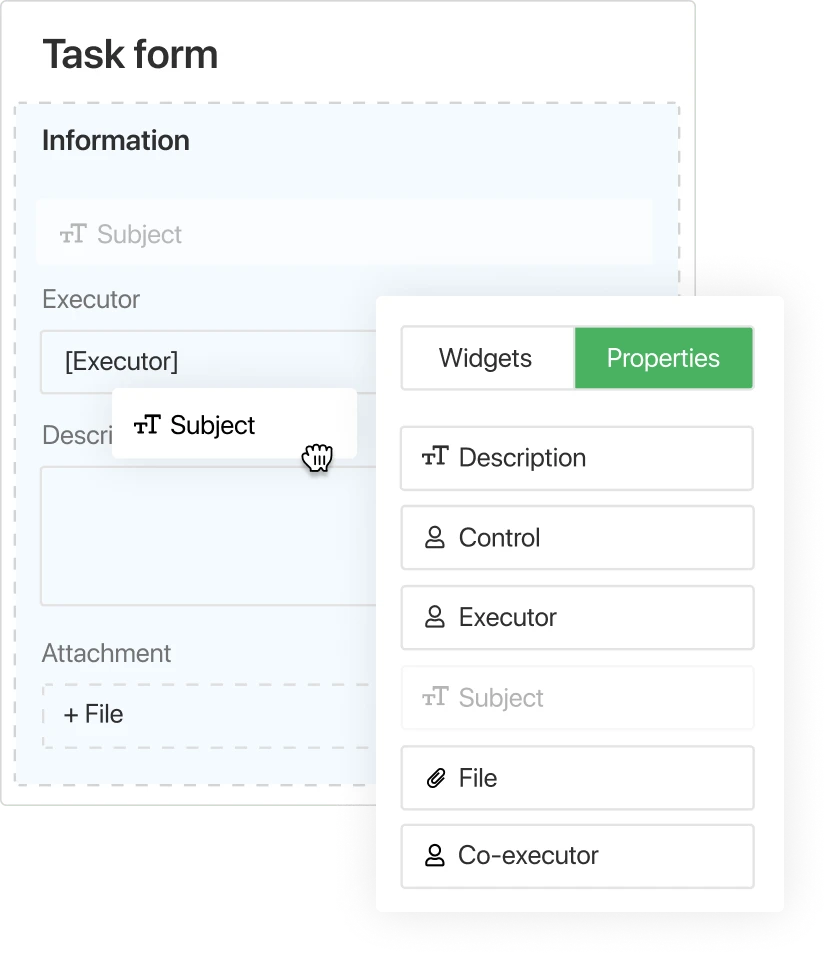
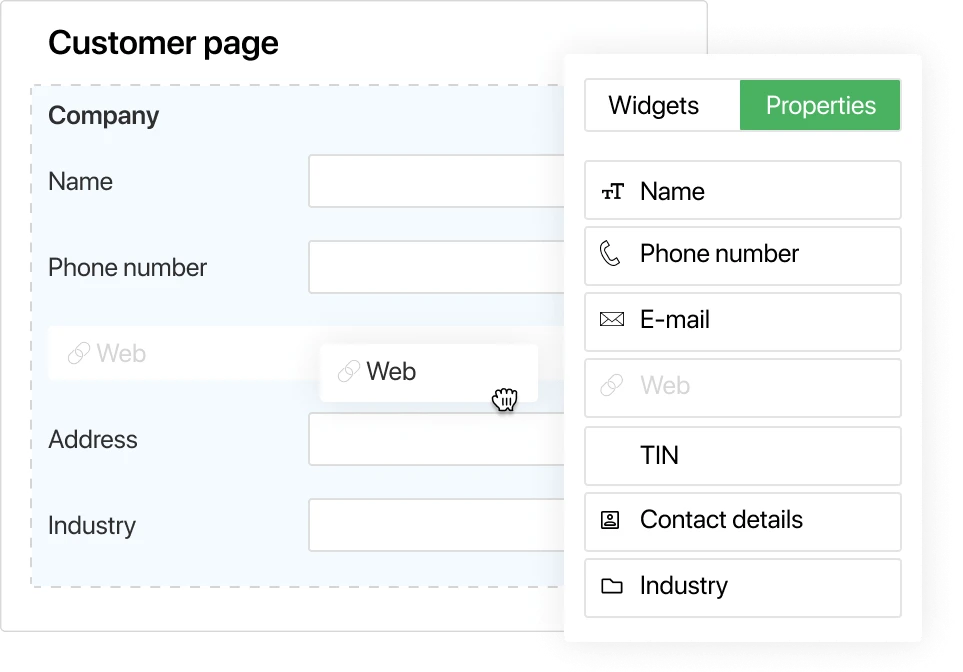
All forms are created in a graphical editor and configured to match the specific data of your business process. Add your own fields and arrange them on the form in the desired order. Group information using tabs, or divide the form into logical segments using panels. Dynamically hide or show fields depending on the data entered by users. This makes it easier for employees to navigate the task and get the job done.
Scripts
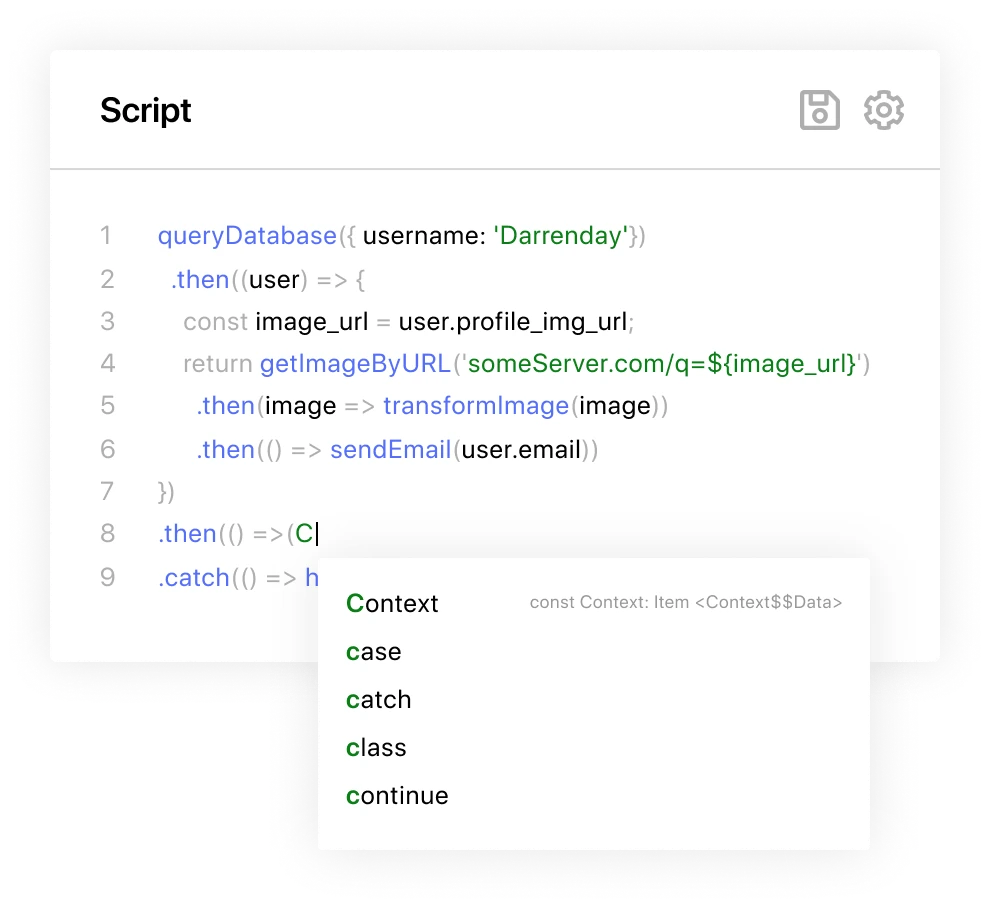
Scripts can be added to the process right during the modeling phase. They allow analysts to expand system functionality and automate actions that employees previously performed manually. For example, you can use scripts to automatically fill out forms, calculate field values, or determine which branch the process will follow. Scripts are written in TypeScript and run inside forms and individual operations. The development environment is fully optimized for users without advanced technical skills. Tooltips, syntax highlighting, and autocompletion help you quickly implement ideas and make changes.
Debugging
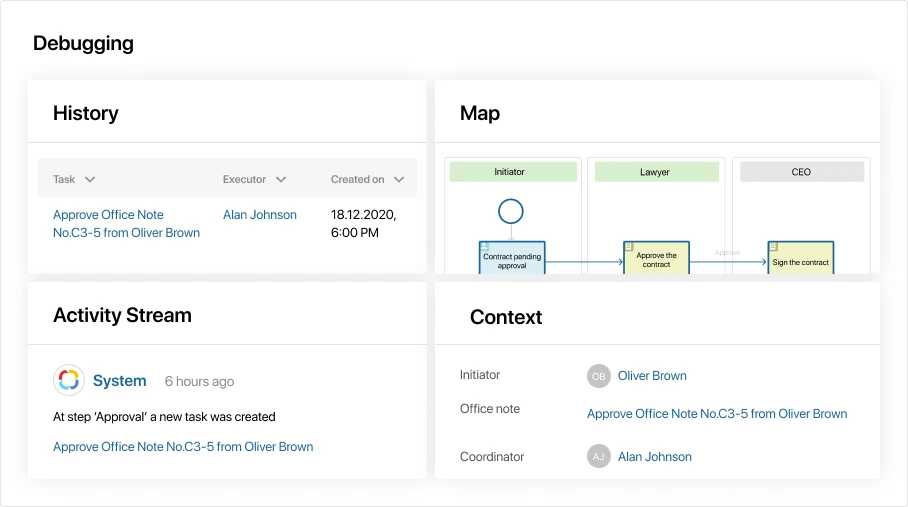
Debugging is a stage of business process development that helps complete your business processes faster. Check the logic of your operations in real-time; assess the ease-of-use and intelligibility of form settings, and accuracy of the scripts. If an error occurs during the debugging process, the incorrect operation name is highlighted in red and detailed information about the error is provided.
Process execution

The process engine at the core of the BPM system, automates task assignment, directs the process along the appropriate paths, and manages the collection and distribution of data throughout execution. After the process is initiated, all tasks and notifications are automatically sent to participants at the right stage.
At the same time, the sequence defined in the diagram is strictly followed during execution. Users are not required to determine the next steps — BRIX365 automatically assigns subsequent tasks to the appropriate participants once the current stage is completed.
Time limit for tasks
Lead time is a critical metric for some tasks. With BRIX365, you can limit the deadline for completing a task and set up notifications for any delays. At the same time, the platform will take into account the work schedule adopted by the company, official days off, and holidays.
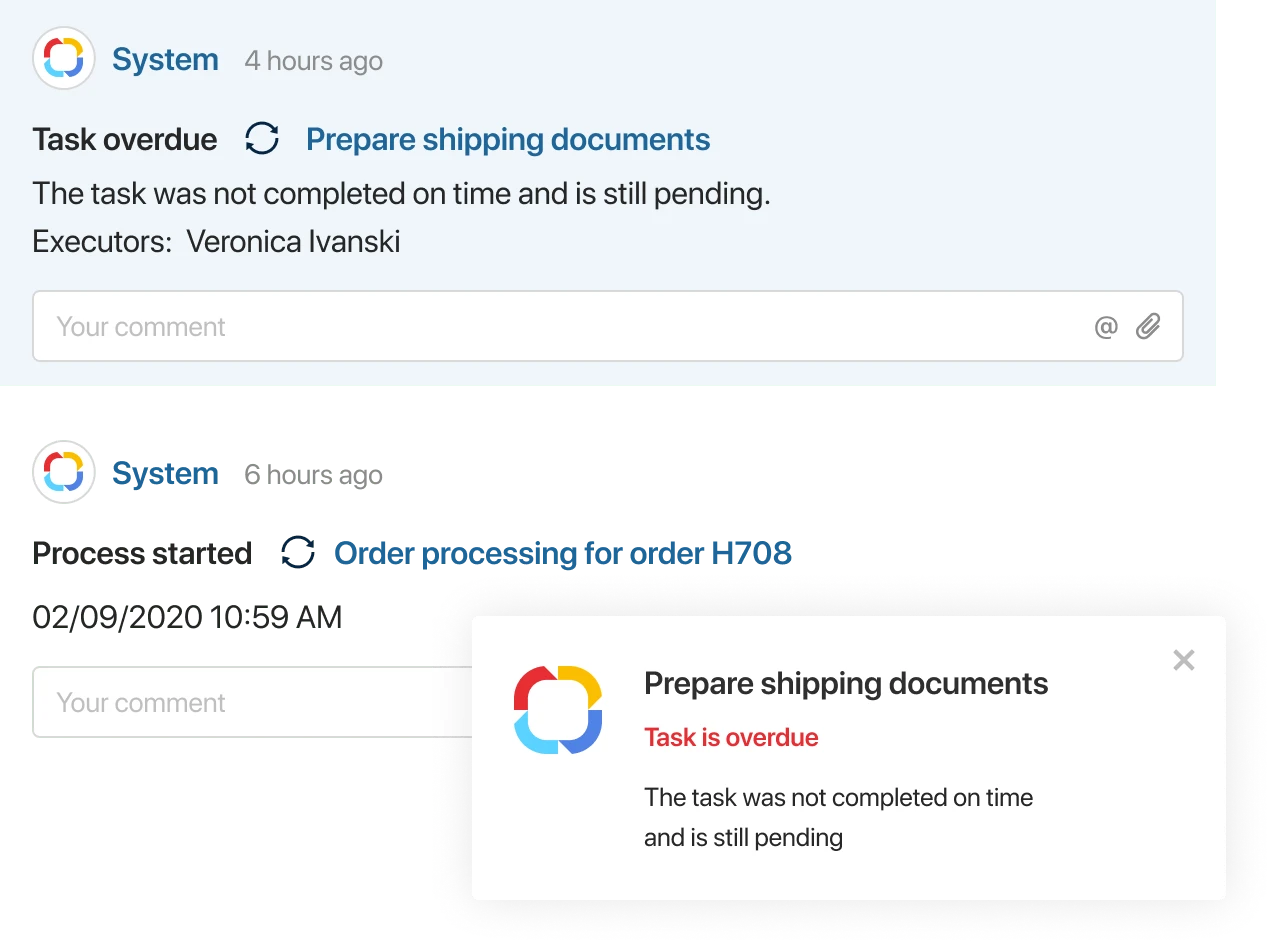
If the task is not complete on time, the system will inform and escalate the delay which will allow the managers to react to the situation in time and take the necessary measures.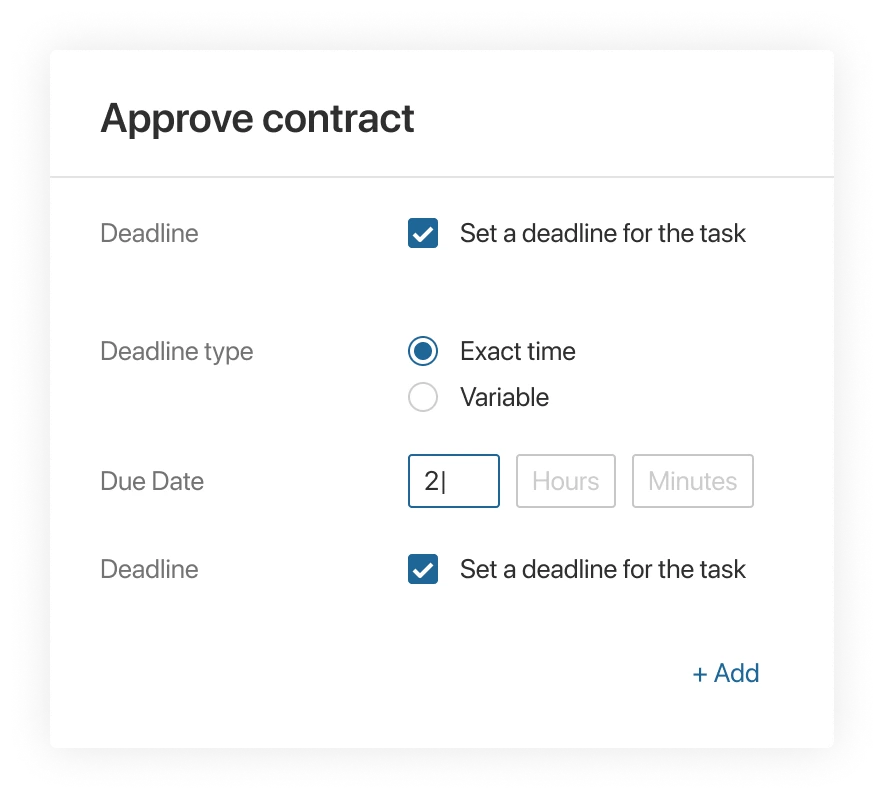
Flexible choice of the executor
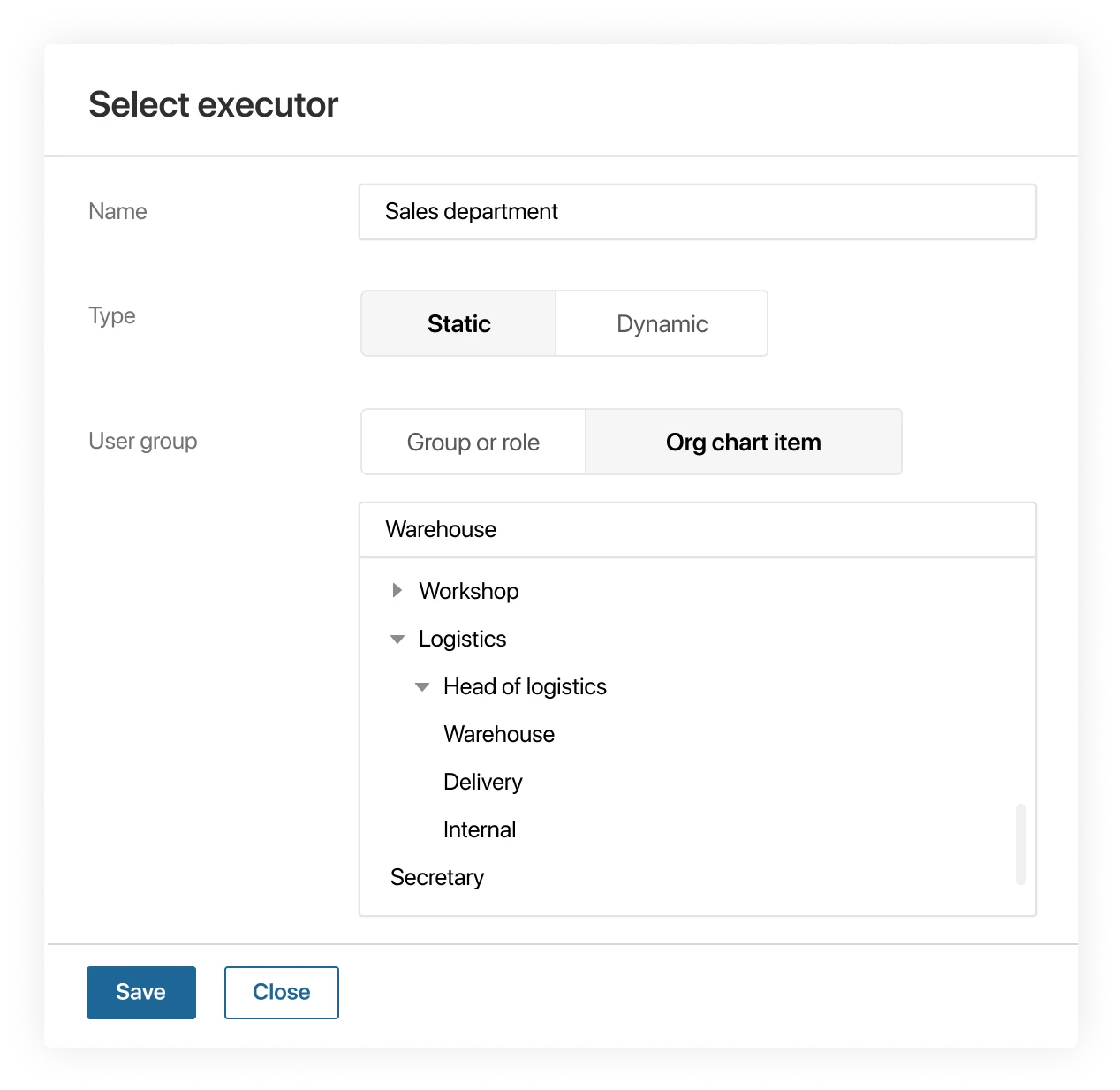
As part of a business process, you can assign tasks not to a specific user, but to an entire department. Employees who are less busy at the moment will be able to start working immediately. Meanwhile, the system will clear the task from the queue for other employees of the department. This eliminates downtime and increases company productivity.
Different startup scripts
Depending on the selected settings, business processes can be started manually or automatically according to a schedule. This can be done at regular intervals. For example, the salary payout process will automatically start on the 10th and 20th every month. If these dates fall on a non-working day, then the start of the process can be postponed to the next working day.
A standard API allows you to launch business processes in BRIX365 from external systems, receive status updates for previously launched business processes and manage the progress of their execution.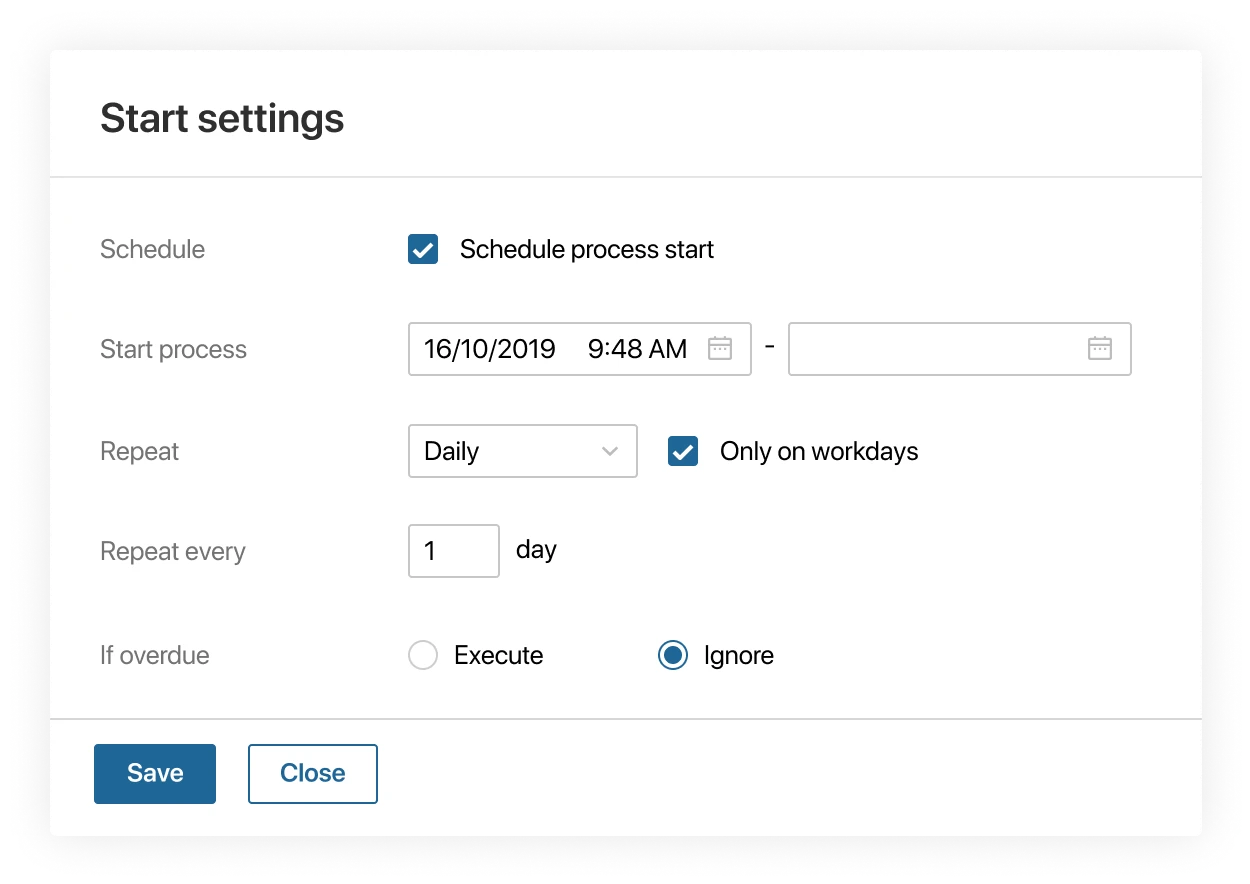
Substitutions. Business calendar
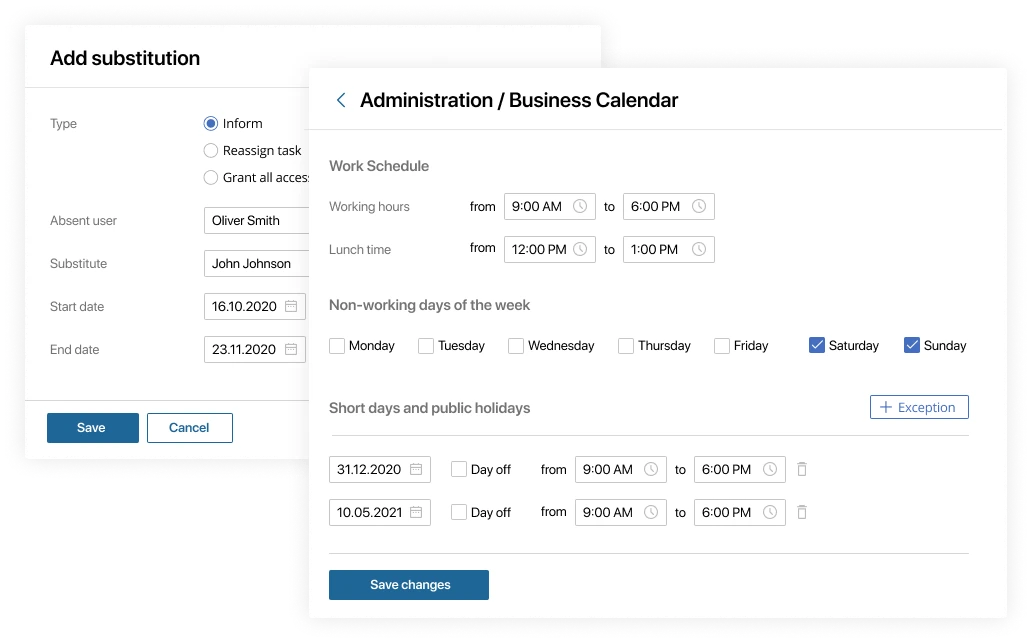
The platform offers a substitution feature that prevents business process bottlenecks. When an employee is absent, the administrator can appoint a substitute and provide them with temporary access. In such cases, employees will always know who to contact on work matters. This information is visible in the system next to the substitute's name when creating tasks and performing other actions. Time off, public holidays, and PTO are indicated, days off, and holidays are indicated in the business calendar. When BRIX365 estimates the timeframes for task fulfillment, events planned in the calendar are taken into account.
System integration
The BRIX365 integration capabilities eliminate user errors during data transfer between systems, save employee time, and automate routine tasks. Use ready-made scripts to fetch data from external systems and third-party libraries. BRIX365 can be seamlessly integrated with servers, websites, external software, and databases.
Process control and monitoring
in real-time

BRIX365 gives managers various tools to monitor and control processes. They help identify bottlenecks, take timely action, and optimize employee performance. You can track the progress of the process using a Kanban board. When the process status changes, it moves from one column of the board to another.
At any given time, the current status of a business process can be viewed on its summary page. It is automatically created for each process and provides a real-time view of its progression. Completed steps are highlighted in blue, while the current step is highlighted in green.
Execution monitoring
With the help of task settings, you can establish transparent interaction within the company and improve performance. All tasks an employee must complete are recorded in the system, have clear deadlines, and store the history of the executor's actions.
Supervisors have access to their subordinates’ task lists. This allows you to control the workload of employees, as well as to reassign tasks in case of illness or vacation.Performance tracking
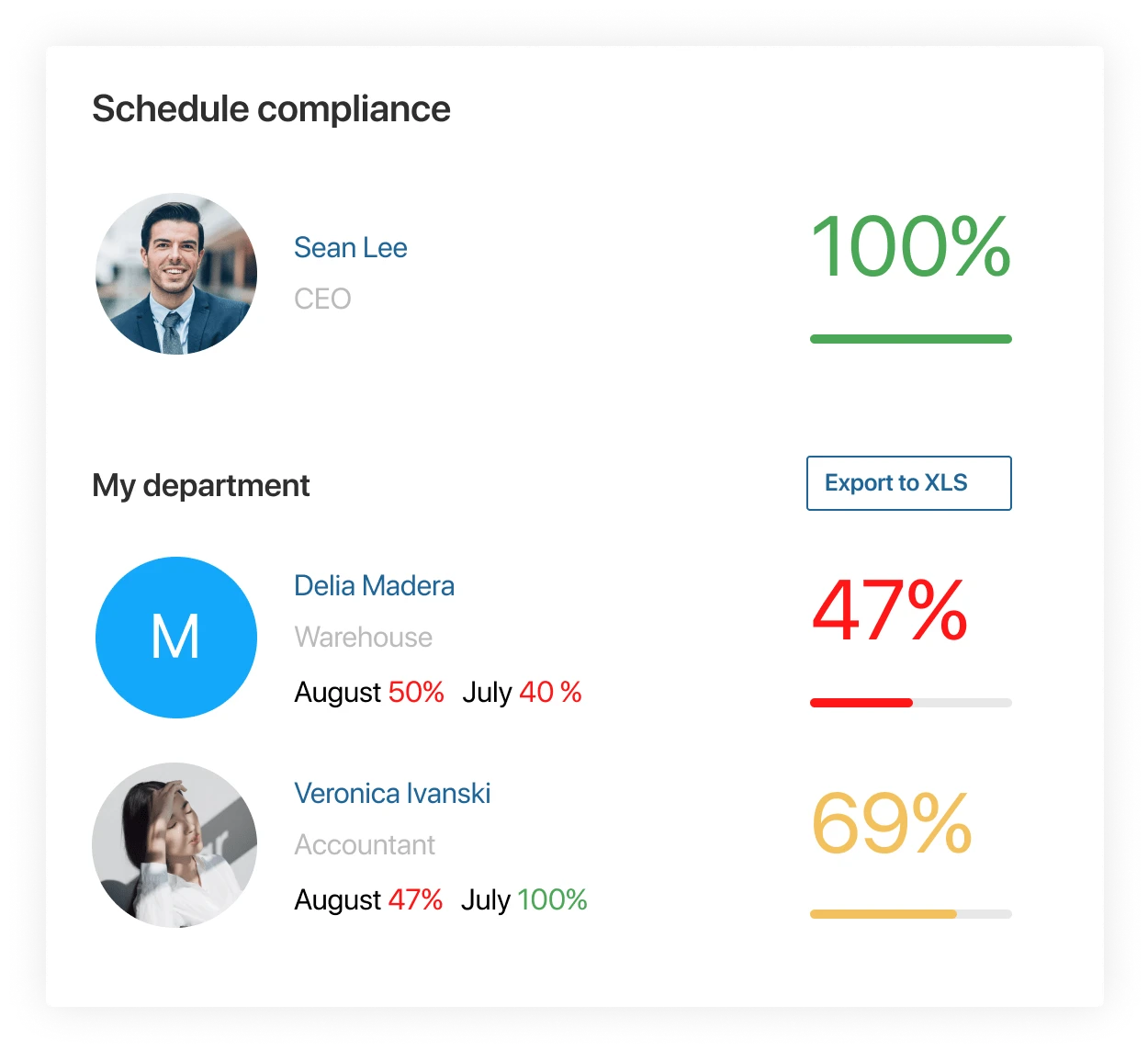
Keeping track of the performance is easy with informative reports. They contain detailed statistics for each employee for the selected period: how many tasks were completed on time and how many were overdue. This information can be used to analyze performance and calculate bonuses or evaluate performance metrics.
Error notifications
Automatic notifications allow you to always keep the situation under control. Notifications are sent to the manager or responsible employee if an error occurs during the process, the executor of the task has not been identified, or the work is not completed on time.
Process monitoring
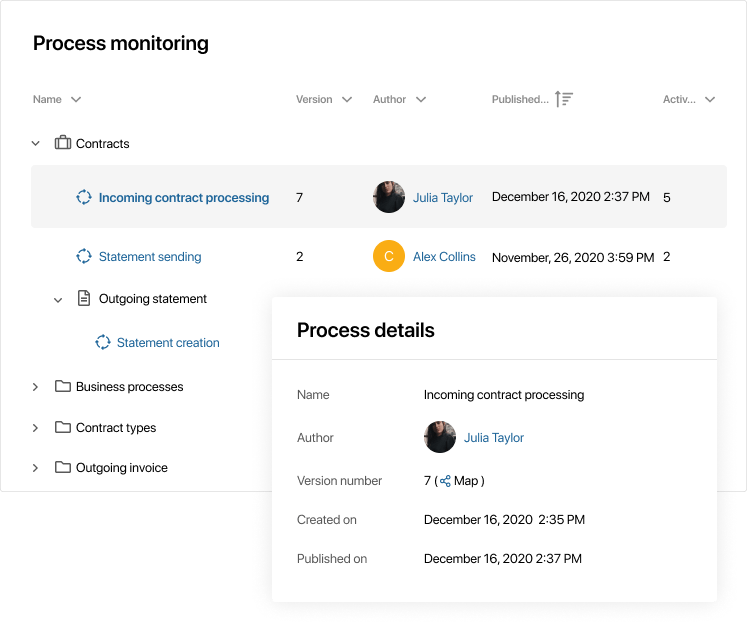
Use process monitoring to keep track of operational bottlenecks and boost the effectiveness of the company's operations. Analyze business efficiency, control the current state of business processes and their execution stages in real-time.
Continuous process improvement

There is no need to involve the IT Department to streamline processes. With low-code, process editing can be handled entirely by citizen developers. New ideas can be quickly tested and analyzed for their effectiveness in practice. To maintain a competitive edge, businesses need to continually optimize their processes. In this case, the more flexible the automation tool is, the faster it will allow the company to respond to market changes.
In BRIX365 you can improve processes as you go. Add participants, customize interfaces and adjust the logic of the process in the visual editor. You don’t need to interrupt the work of already running processes, and the changes will take effect immediately after they are published.
Version control
BRIX365 supports version control of processes. This eliminates errors in already running processes while improving them and provides a seamless transition to the updated version.
In addition, you can track the history of changes and quickly return to the previous version of the process if needed.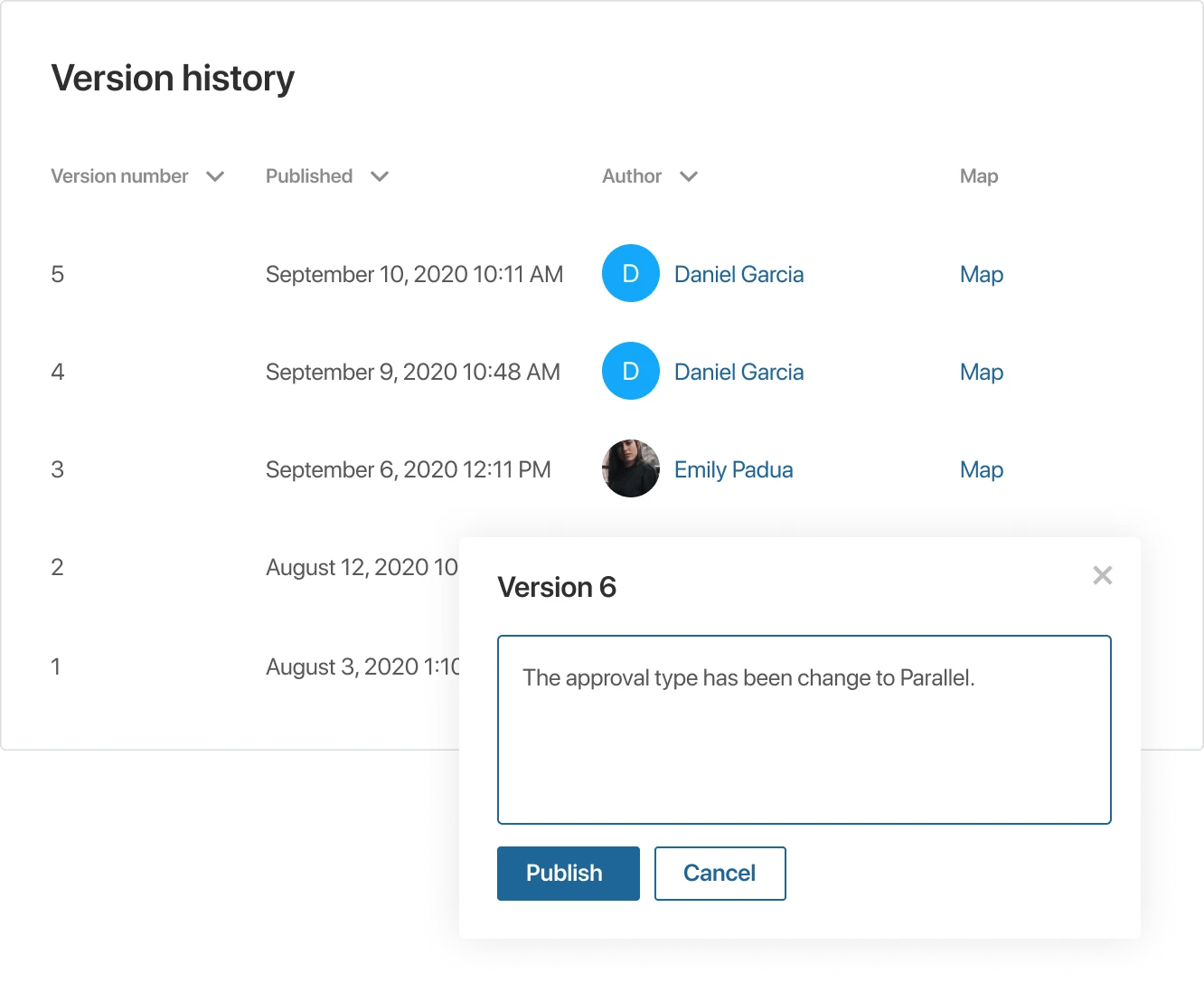
BPM system is a tool for managing changes
When a company automates its business processes, it gains flexibility and adaptability to the changing market conditions. Practically speaking, it means that the created process doesn’t get stuck in its initial form, but continues to grow with the company.
It's filled: The first iteration of a process changes rapidly, incorporating new activities and participants. Business logic is implemented with low code tools without programming. The ideas for the process improvement can be quickly tested out and put into practice.
The process does not stop evolving. It flexibly adapts to the new standards of the company.
Low-code app creator
The low-code approach significantly accelerates the journey from business requirements to a ready-to-use solution. Analysts no longer need to write technical specifications for the IT department or wait for developers to implement them. With BRIX365, they get a tool that allows them to build working applications themselves using a visual designer.

Visual app builder
Forms built via the low-code designer work instantly and display data
right away — no system restarts
required. From an idea to a working solution in just a few steps.
Scripting and API
Extend the capabilities of the system using the built-in BRIX365 development environment. Implement scripts and integrations, customize interfaces, and add complex calculations to forms.
An open API for objects and documents enables the implementation of complex interaction scenarios with external services.
Workflow AI
Integrate AI agents into workflows. Empower your employees with AI co-pilots to boost productivity.

Bring AI directly into your business processes and
document workflows.
Use AI actions to
automate decisions, process documents, and assist employees at every
step — from data extraction to approvals and communication.
AI in BRIX365 is not a separate tool. It works inside your
workflows, interacting with documents, data, and users to execute
real business tasks.
AI actions automate routine operations, support decision-making, and execute tasks — directly within your business logic and applications.

AI helps you:
 Extract data from documents (contracts, invoices, forms) automatically
- Classify and route documents based on content and business rules
- Generate responses, summaries, and document drafts
- Assist users during task execution with contextual AI suggestions
- Trigger AI actions inside workflows as controlled process steps
- Use corporate knowledge (policies, documents, knowledge bases) in decisions