The configuration item (CI) page stores all important information about it. By default, the page consists of the following tabs:
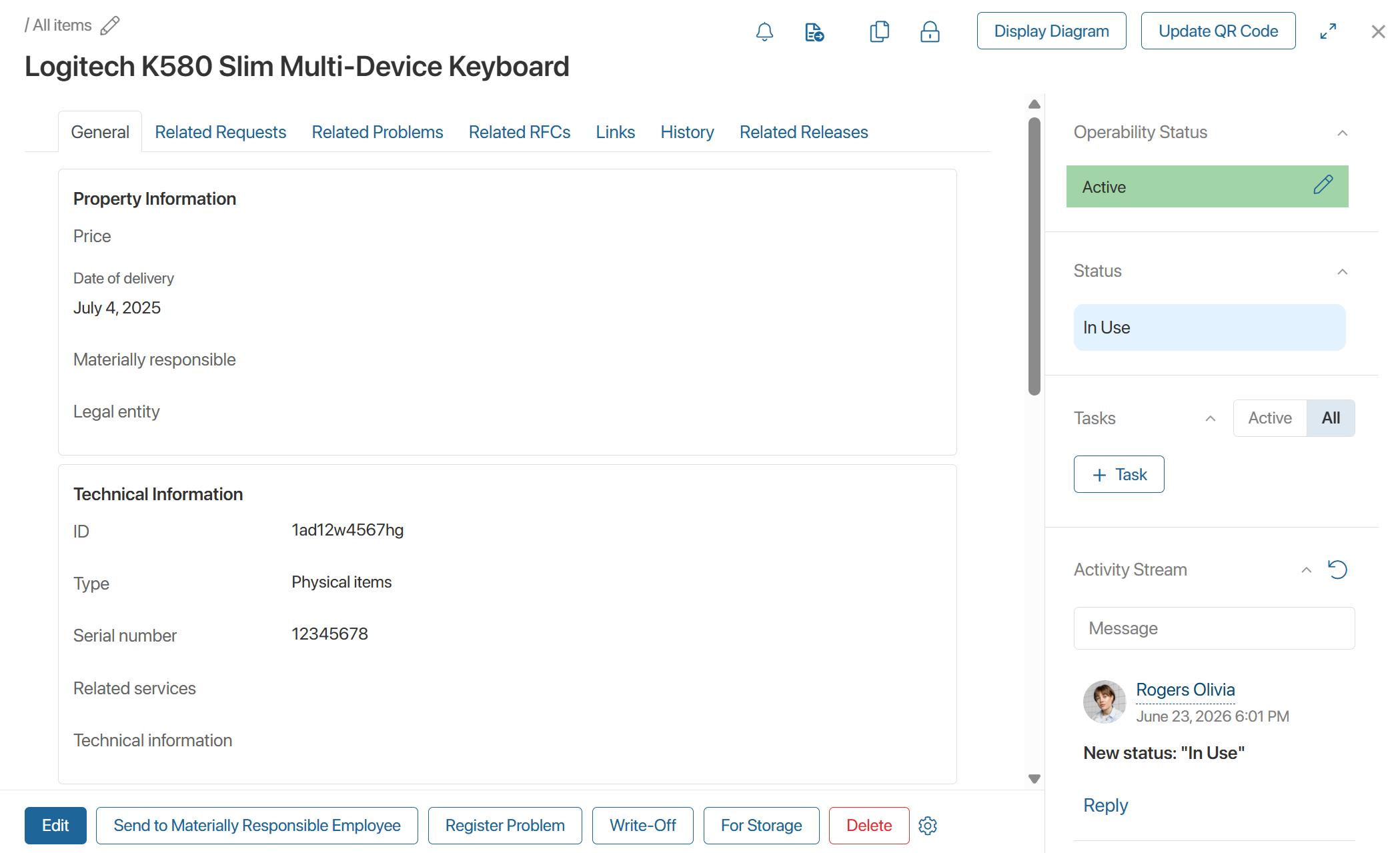
- General. This tab displays the CI information specified when it was created: property, technical, and operational data, such as price, delivery date, CI type, location, etc.
- Related Requests, Related Problems, Related RFCs. They display items from the Requests, Problems, and RFC apps whose processing is affected by the CI.
- Change Log. The tab records the history of assignments and persons responsible for the CI.
- Links. It lists the parent and child CIs that are part of the same set as this CI.
- History. This tab records changes made to the CI page, such as status changes, field edits, and so on.
The data on this tab is displayed if the system administrator has enabled and configured the History of ServiceDesk Apps module. - Related Releases. It displays records of releases whose rollout is associated with the CI, for example, where a configuration update was implemented.
The side panel of the CI page displays the following information:
- CI operability status.
- CI status corresponding to the current stage of work with it.
- Tasks related to the CI.
- Messages activity stream.