Modules can use API methods to launch business processes, retrieve complex data, or interact with internal and external services.
Two methods are available in the custom module settings:
- Via scripts. The method is created and executed in the system. You can create general functions and reuse them in different processes and module widgets.
- Via delegation. The method is executed in a portable service or external platform. Delegated methods allow you to use the capabilities of a third-party resource, not limited to the tools available in BRIX scripts. The address at which such a method can be accessed is configured in the module.
Note: In the BRIX On‑Premises editions, delegated API methods are supported starting from version 2025.10. Modules with such methods cannot be imported into earlier versions of the system.
Create a method
To create a method, do the following:
- Go to Administration > Modules.
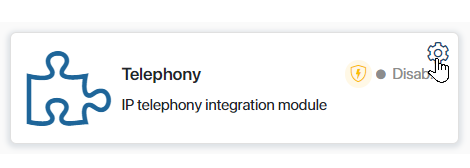
- Hover the mouse over the module and click the gear icon.
- Go to the API Methods tab.
- Click Edit. The method editor will open.
- Click the +Add button. In the window that opens, enter the required information:
- Name*. Enter the method name.
- Address*. Select one or more HTTP request methods from the list. The following methods are available:
GET,POST,PUT,PATCH, andDELETE. Specify at what address the method will be available. In doing so, you can:- Specify the path to nested methods. Use a forward slash
/to specify a child method, e.g.main/email_dispatch or call_events/route/. The number of nesting levels is unlimited. - Specify a wildcard for passing variable values to the method URL. Add a combination of
/*characters at the end of the method address, e.g.orders/*ororders/process/*. In the method script you will be able to customize the processing of variable values that are passed when the method is called. For example, you can pass the user ID to get the user's name and e-mail as a result of the request. Read more about scripting such methods and calling them in the Use API methods with wildcards in modules article.
Note, the/and*characters at the end of the address do not ensure the uniqueness of the method, so the addresses of two methods cannot differ only by them. For example, if you have already added afiles/method, an error will occur when you try to create afiles/*method.
- Specify the path to nested methods. Use a forward slash
- Type. Select a method type:
- Script. The API method is created and executed in BRIX. Read how to add it in the Configure a Script-type method section.
- Delegated. Used when a method is created in a portable or external service. In BRIX, you configure the address at which the request is redirected when the method is called. Read how it works in the Configure a delegated method section.
- Authentication*. Select an authorization type to use when a request is received.
- Internal. When this option is selected, the method can only be called within the module, for instance, in other methods, widgets, business processes activities, and event handlers. To call it, you need to use the
Namespace.api.method_namecommand. Read more below. The user under whose name the script runs must be logged in to BRIX. - External. When this option is selected, the method will be available from the external system via a token.
- No. The method is available without authorization.
- Internal. When this option is selected, the method can only be called within the module, for instance, in other methods, widgets, business processes activities, and event handlers. To call it, you need to use the
- Asynchronous start. This option allows you to continue your work without waiting for method execution to finish.
- Description. Write a detailed description of the method.
- Save and publish the method.
If structure versioning is enabled in the system, when you publish an API method, a new version of the method is created.
Configure a Script-type method
To add a API method script:
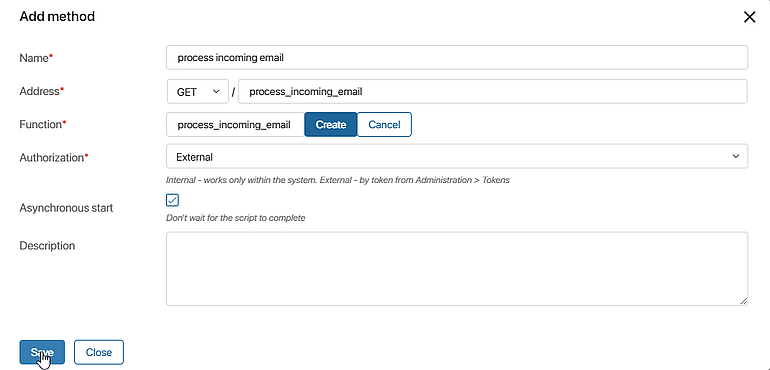
- In the Function* field, create a function that will be executed when a request is received. To do this, enter a name and click Save.
- Go to the Scripts tab and write the method. To do this, click Open in the Function* field. The method is created in the TypeScript programming language. To learn more about the basic principles of script writing in BRIX, please visit BRIX TS SDK.
- Return to the method creation form to fill in the remaining fields and save the settings.
Configure a delegated method
When creating a delegated method, determine where its call is redirected. You can also configure address redirection. To do this, specify the path where the delegated method is accessible on the portable or external service.
To configure this method type, fill in the following fields:
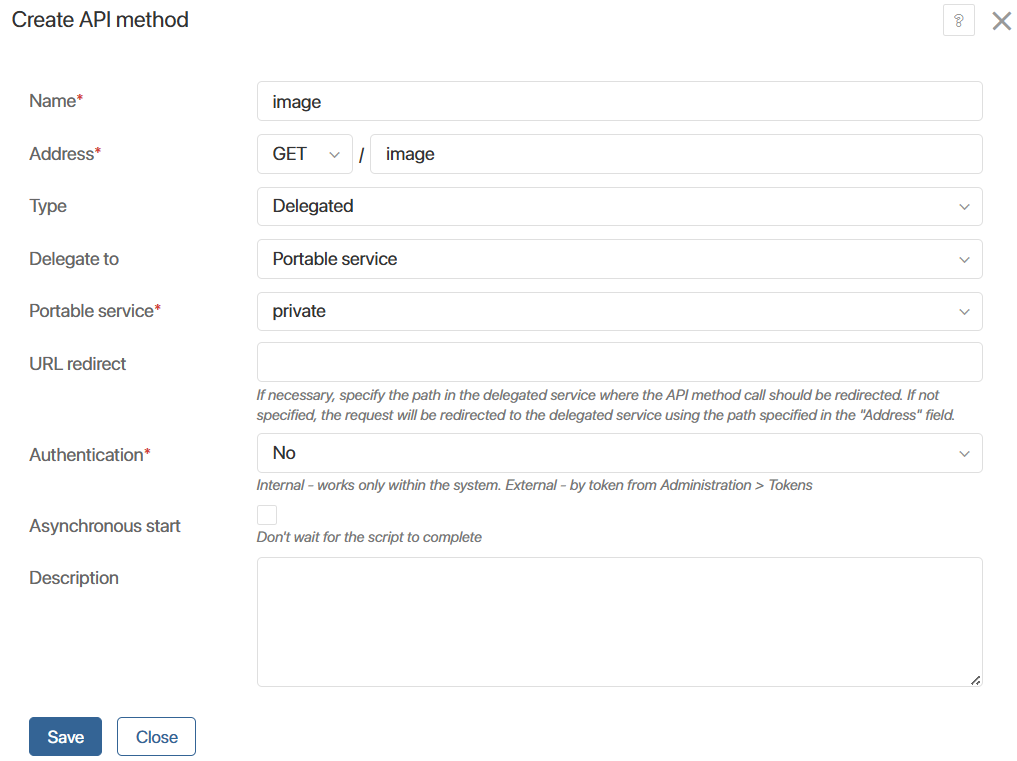
- Delegate to. Select where the method is executed when called: Portable service or External HTTP service.
- Portable service*. Specify one of the portable services of the module where the method is implemented.
- Service address*. When delegating a method to an external service, specify the URL of the third-party resource in one of the following ways:
- As a string, for example, https://example.com/api.
- Using an address template. For this, create a variable in the module settings. This makes managing the delegated method more flexible. The user can fill in the address on the module connection page without going to its settings.
- URL redirect. Specify the path where the delegated method is accessible on the portable or external service. If it matches the method address, leave the field blank.
Next, specify the authentication type, enable or disable the asynchronous function, and add a description. For more information about these settings, see the Create a method section.
External service address template
You can specify the external service address for calling the delegated method using a module parameter. This method ensures more flexibility in changing the address of the third-party resource. The user can add it on the module connection page without going to its settings.
To use the external service address template:
- In the module with the delegated method, go to the Settings tab and create a String property.
- Go to the API Methods tab and open the delegated method that redirects to the external service.
- In the Service address* field, click the {+} icon and select the String-type property you created earlier.
- Save your changes and publish the method.
Now users can fill in and edit the external service address on the module connection page.
Access to global constants
By default, API methods can only access workspace components at the level of which they are configured. You can additionally access other system objects via a global constant. To do this, in the method editor go to the Scripts tab and click Settings in the top panel.
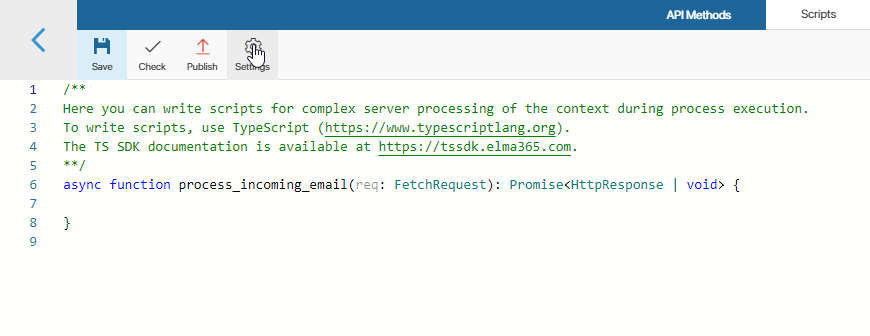
You can use the following options:
- Global constants. Check the Global option to be able to refer to objects from all workspaces in the system and to global parameters. The Global constant is used for this purpose.
начало внимание
When using the Global constant to write an API method, a module with this method cannot be exported.
конец внимание
- Optional dependencies (available in the Imports object). Select workspaces or custom modules and set optional dependencies with them. After that, they can be accessed in scripts via the Imports constant.
To create a dependency, click +Add Workspace and select a system component. Then, in the Alias column, set a unique name for it that will be used in the script. Latin letters and numbers are acceptable, and you can use an underscore to separate words. By default, the workspace code or module ID is used.
Use files in scripts
You can use images, document templates, instructions, etc. in the module scripts. To do this, in the method editor, go to the Files tab and upload the required document.
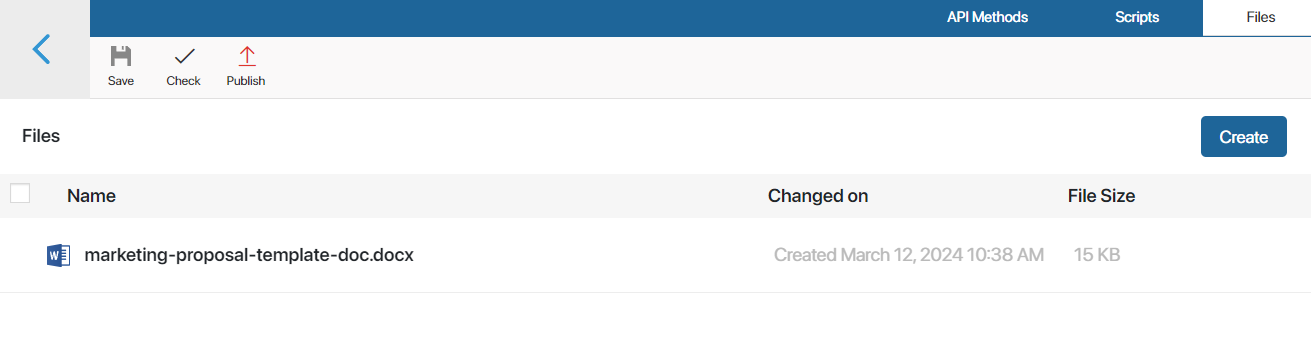
Open the file in view mode and copy its identifier in the URL of the page. Using the identifier, you can refer to the uploaded file in any module script.
Server dependencies
In BRIX On-Premises, you can add npm packages with server dependencies on the Files tab. Read more in the Server dependencies of npm packages article.
Trace API methods
If in Administration > Developer Tools, tracing is enabled for an API method, you can script execution. This helps you evaluate the duration of individual requests, optimize the code, and identify the causes of errors.
To view the list of traces, go to the the module settings and open the API Methods tab. To view the records:
- By all module methods — click View tracing in the upper right corner of the page.
- By certain method — click
 next to the method.
Read more about tracing settings and trace information in the Trace server scripts article.
Call an API method from a script
After creating an API method in a module, you can call it in any script of this module. To do that, use the api property of the Namespace global variable:
let response = await Namespace.api.some_method.call({
method: "POST",
headers: {
"X-My-CutomHeader": "Some header data"
},
query: {
"skip": "0",
"take": "10"
}, body: "Any body here"
});
The HttpApiRequest type is sent to the method. It extends the FetchRequest type and is used in the fetch() method.
When the call() method is called, a web call to the API method is made using the standard HTTP protocol. Therefore, the response from the method comes as a standard FetchResponse object.
To configure modules with webhooks, you can get an API method address using the Namespace.api.some_method.getUrl() command. It will return a string with the full address of this method for further calling. This method is useful when an external service requires you to specify a return address for a call.
Call an API method from an external system
An API method in the module can be called from an external service. To do this, a direct link to the created method in the form of a full URL is specified in the web request.
To get the link, open the module settings page and go to the API Methods tab. Next to the method name, click the URL copy icon.
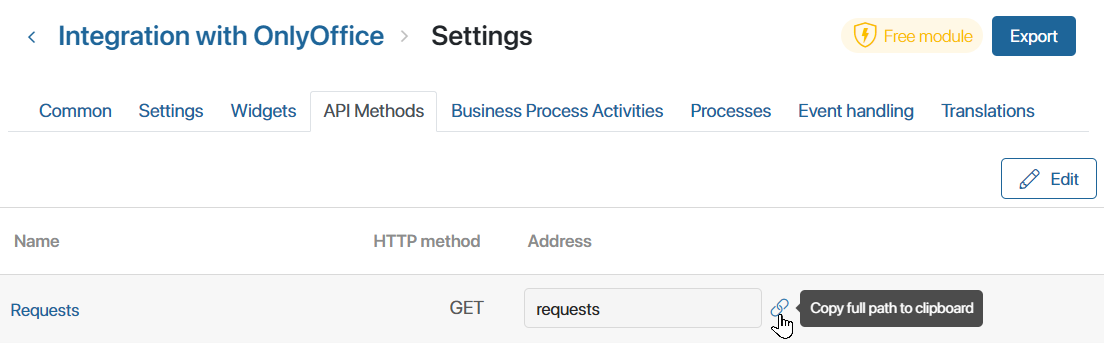
If the external authentication option is selected when creating a method, the request uses the Authorization header and specifies an individual user token. Read more on the BRIX public API page.
Here is an example of calling an API method in a module via the fetch command:
let response = await fetch('https://abcd1234.brix365.en/api/extensions/f1e6cf15-7c65-4be5-8443-021a280dcd80/script/upload', {
method: "POST",
headers: {
"Authorization": "Bearer " + secureToken
},
query: {
"file_id": fileId
},
body: JSON.stringify(uploadBody)
});
Service headers
In API methods, each request object passed into a script contains headers that store information about the invoked method:
:method. The HTTP method.:path. The part of the URL method address that comes after the domain, along with query parameters. For example,/test1/test2?q=12345&n=aaa.:scheme. The protocol used in the method: eitherhttporhttps.:authority. The domain and port (excluding 80 and 443), from which the request originated, for example,brix365.comorlocal.brix365.dev:4200.
Manage API method versions
If structure versioning is enabled in the system, publishing an API method automatically creates a new version. This version records all changes to the method's settings, along with the author, date, and timestamp of the publication. You can compare archived versions of the method with the current one and restore them if needed.
To learn more about accessing version history and managing archived versions, see Versioning of structures in BRIX.