The app displays an operator’s scheduled work shifts. A shift consists of working and non-working activities that are distributed over time.
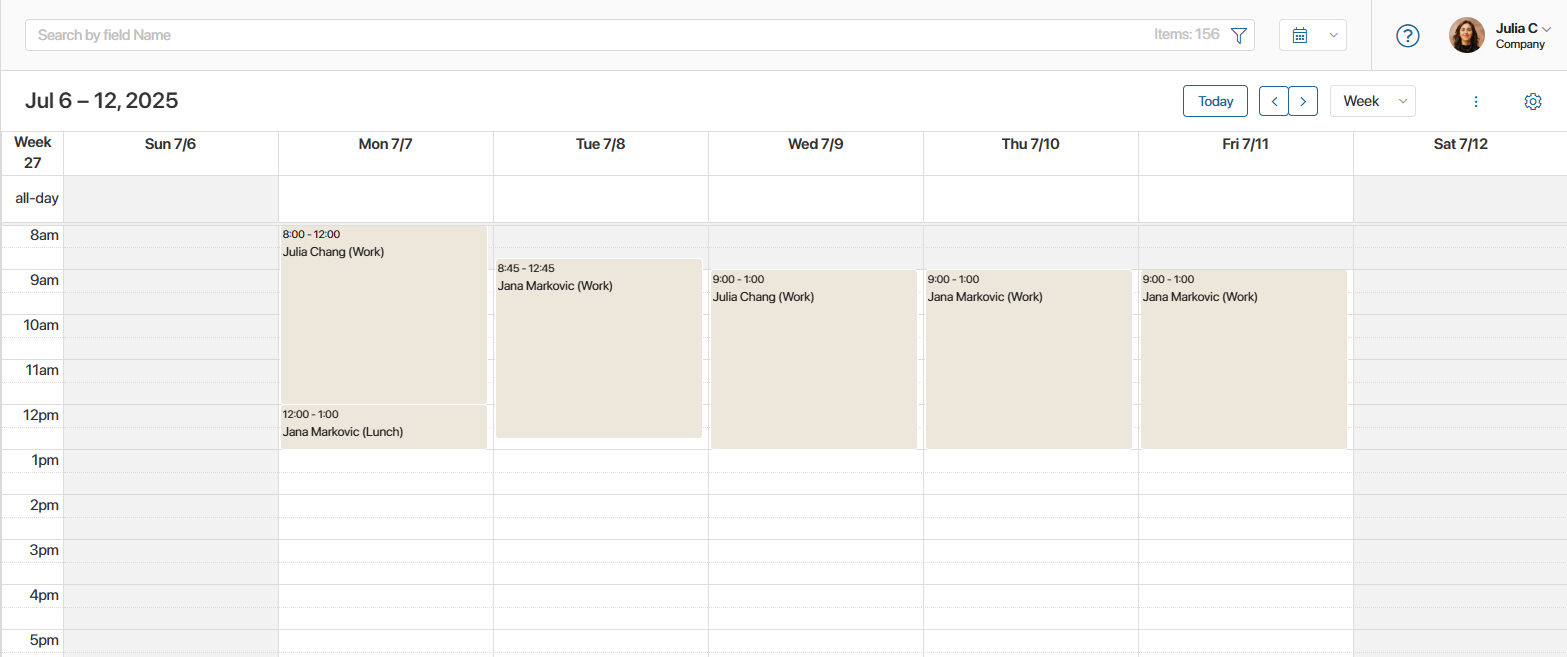
Here, an operator can:
- See the start and end times of a shift, as well as its duration, by clicking on the activity in the calendar.
- Plan their working day. The schedule displays all activities configured in the shift type for the employee’s work schedule.
- Check work activities. The operator marks the activities indicated in the schedule on the Customer Service workspace home page.
- Adjust the work plan:
- If the operator finished work early or interrupted the shift, you can complete the activity ahead of schedule. To do this, click the Close button on the activity page.
- If an employee took time off or went on holiday, you can delete the activity by clicking the Delete button on the page.
Important: changes in the Employee Schedule app only reflect the operator’s work plans. The actual time worked is recorded in the Employee Activity calendar.
Please note that each user can only see their own schedule, while the supervisor can see the schedules of all employees in the department.
By default, the schedule is displayed as a monthly calendar. You can change the period to a week or a day, as well as switch the display view to a list.
At the top of the app page, there is a search bar for activities by parameters.