On the CMDB Map page, you can configure and view relationships between configuration items (CIs), as well as services and users.
On the map, you can view connections between:
- Parent and child CIs.
- A CI and the services affected by its availability.
- A CI and its asset owner.
Create a CMDB map
To generate a relationship map, go to the Filters block and follow these steps:
- Specify a configuration item.
- Select the number of hierarchy levels to display. For example, you can show only the child items of the selected CI.
- Enable the display of related services and asset owners.
- Click Apply.
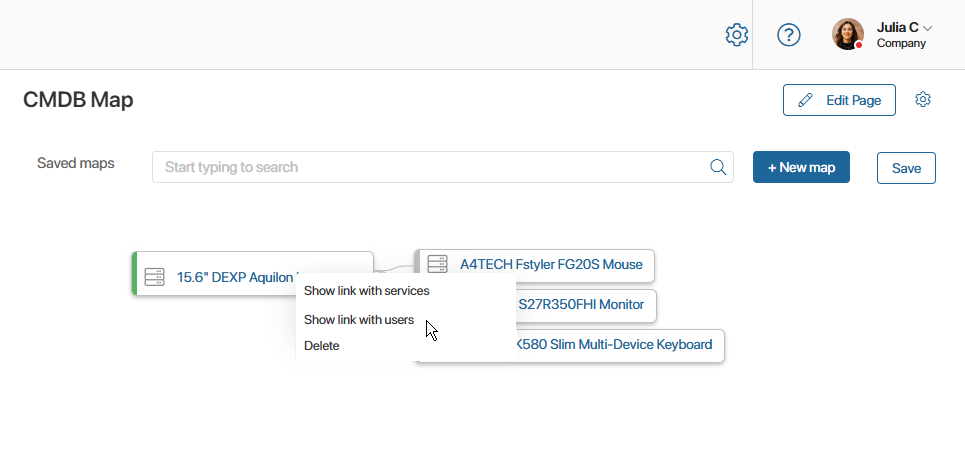
Once the map is generated, you can hide or show services and custodians for a specific CI. Right-click the CI and select the required action.
Save a CMDB map
You can save the generated map so employees can view it at any time.
To save a map:
- On the CMDB Map page, click Save in the top right corner.
- In the window that opens, enter a map name and click Save.
You can view a saved map in one of the following ways:
- On the CMDB Maps page, select a previously created map in the Saved maps field.
- On a CI page, click Show Diagram.