The Resolutions app is a repository of instructions for performing standard actions and resolving typical incidents.
Entries in the repository appear after the operator describes the resolution found during the request processing. Only the system administrator can create an item in the app.
An operator can resolve the request incident independently or use a ready-made solution. In either case, they describe the solution in detail and save it when processing the request. There is no need to go to the Resolutions app for this, as the operator finds the resolution and leaves a comment with a description on the request page.
The resolution database is automatically generated from both new resolutions and resolutions reused when completing requests.
The knowledge base is built automatically from both new resolutions and resolutions reused when closing requests. The system administrator can configure resolution archiving on the Service Desk Settings page. In this case, the item will be stored in the app for a specified period of time and then automatically deleted.
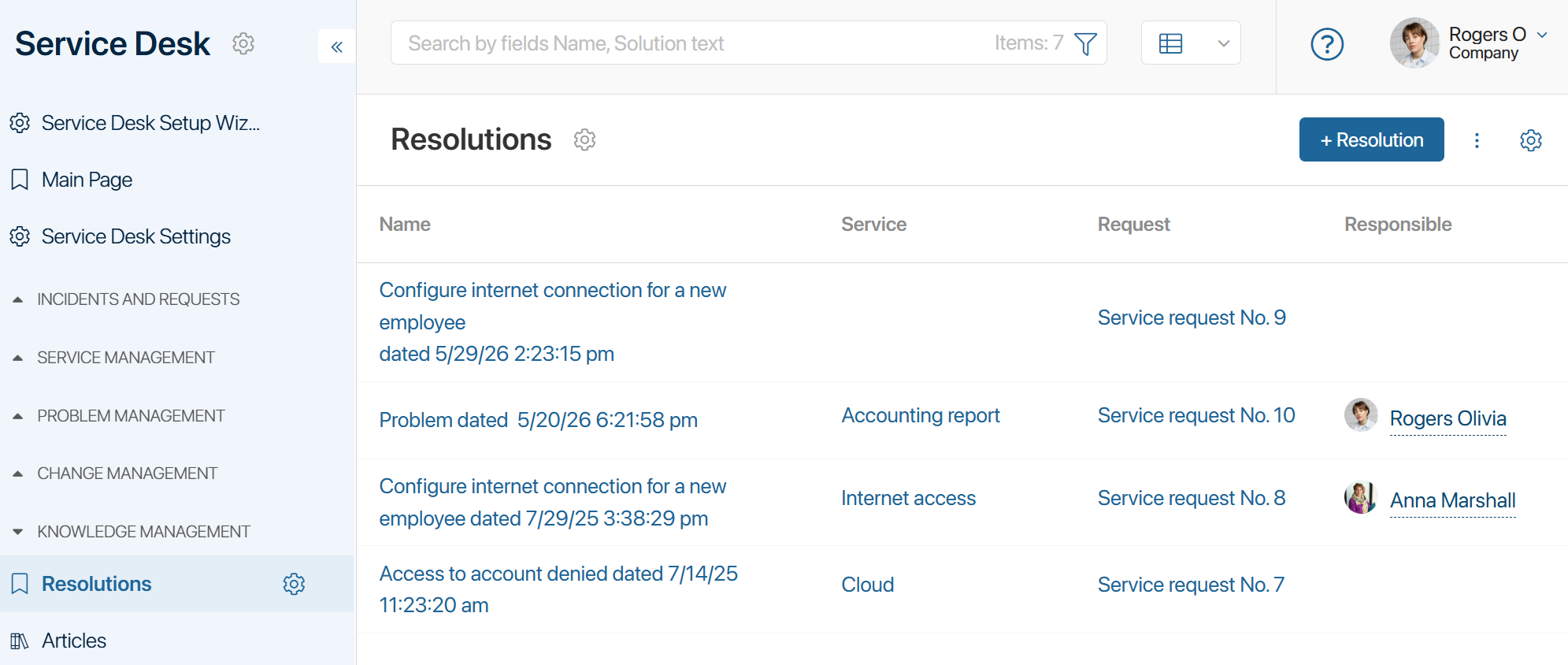
If there are many entries with the same information in the repository, it means that the decision taken does not eliminate the problem. In this case, the operator can use the instructions for solving complex cases in the Known Errors app or create a problem based on similar requests.
Mark a resolution as exemplary
To help operators choose the most suitable resolution for fulfilling a request from among similar options, the responsible employee can mark a solution as exemplary and add usage recommendations to its page.
When processing a request, the operator will see the recommendation on the solution page and can select it as a priority.
To configure an exemplary solution:
- In the Resolutions app, open the item page and click the Customize the Publicity of the Resolution button.
- In the form that opens:
- In the Public resolution* field, select Yes.
- Specify the resolution’s associated app items. These can be requests or problems for which the resolution was used.
- Enter a brief description of the resolution, such as a recommendation for its use.
- Click Completed.