Users who have access to the external portal can create a new request on its page.
- Click the +New Request button at the top of the main page.
- Fill out the request form:
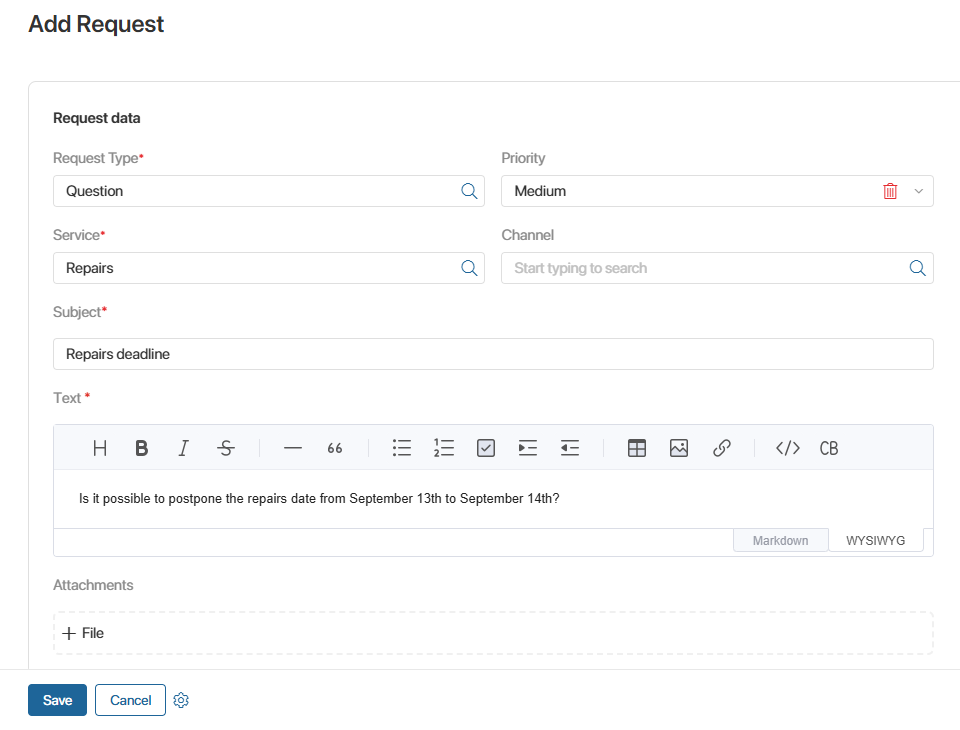
- Specify the type of request and the service for which the request is being created.
- Specify your request priority and a channel if needed.
- Add a subject and describe your question or problem.
- Attach additional files.
- Save the request.
The created request will be recorded in the system, and the operator will be able to start processing it.
The list of requests you have created is displayed on the Request History page of the portal. Here you can view details and track your request status.