BRIX offers two options for working with project plan versions. For each project type, you can choose how to work with plan versions:
- Users with plan editing permissions can create multiple plan drafts and compare unpublished versions.
- A simplified option allows employees to work with only two plan versions — the published version and the draft. This is used by default for new project types.
The system administrator can configure and change plan versioning for projects of a specific type. To do this:
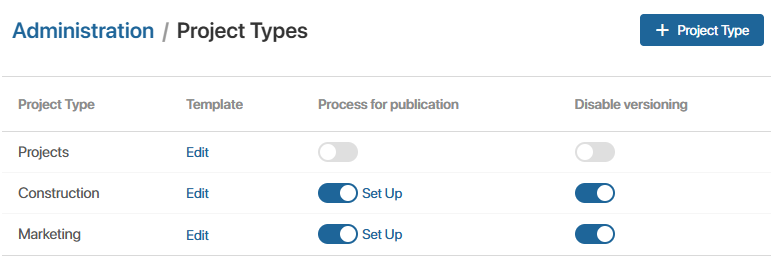
- Go to Administration > Project Types.
- Next to the project type, enable or disable the Disable versioning option.
If the option was disabled, after its activation new draft versions of the plan are created.