This service widget allows you to use dynamic properties whose number and type are not known in advance. You can get such data using a script from an external service or server and store it in a variable of the Arbitrary type.
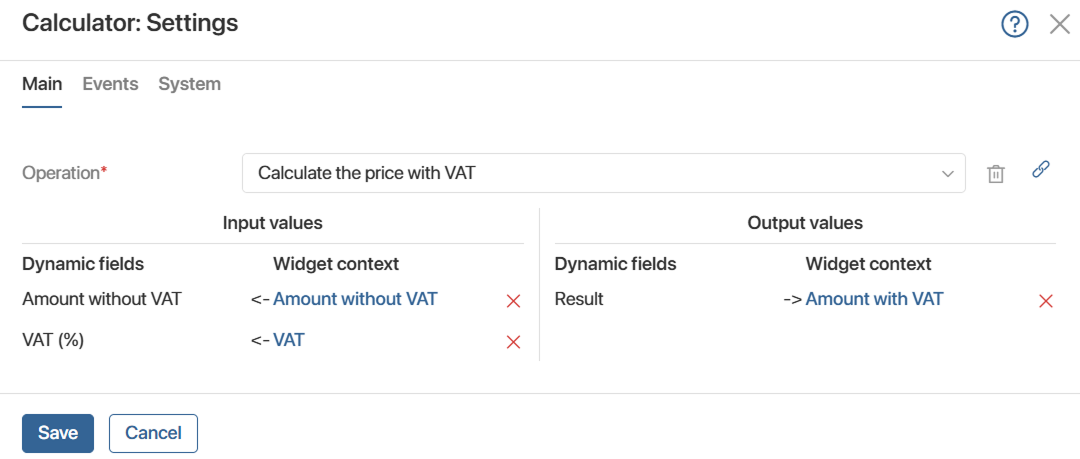
The Dynamic binding widget displays the contents of this variable as input and output values that can be mapped to the current context. It is available only on custom forms:
- In the settings of the Business process activity with the Script type.
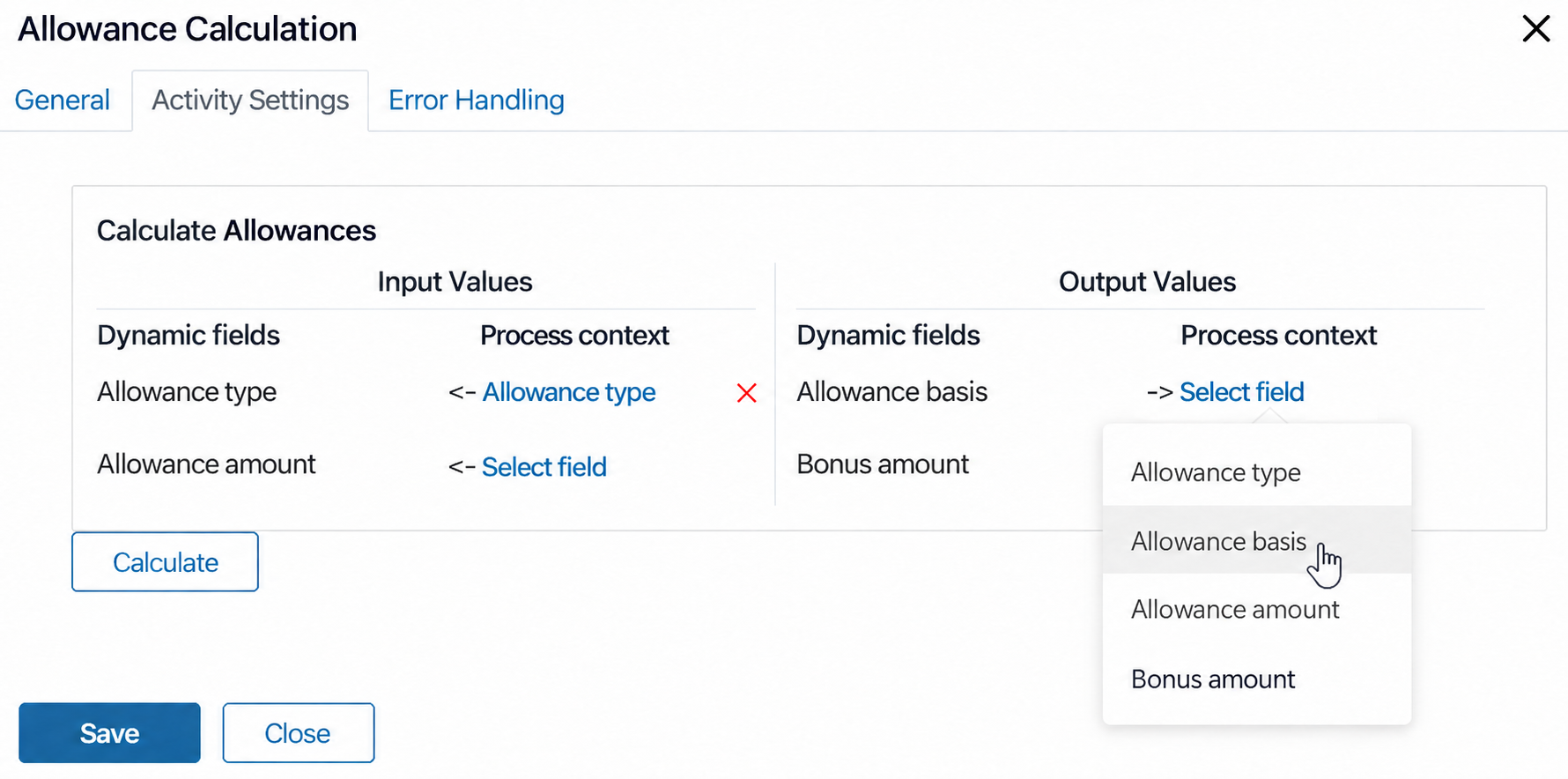
- In the custom widget settings.
Working with dynamic data
Perform the following steps when configuring a custom activity in a business process diagram or a custom widget:
- Use a script to request variables from an external system. For example, you can get company data from an external service.
- Save the retrieved data in a variable of the Arbitrary type.
- On the custom settings form, the data from the variable of the Arbitrary type are displayed as input and output values through the Dynamic binding widget. The system administrator can map the values to the current context.
Configure the Dynamic binding widget
The configuration steps for the Dynamic binding widget for an activity of the Script type or a custom widget are similar.
Let's look at the configuration steps using the custom Calculator widget, which performs an accounting operation. A script requests the number and types of operation parameters from the server. To display these parameters in the widget settings:
- Open the Calculator widget builder and create a settings form. The Dynamic binding widget is available only on the custom form. The settings form builder opens.
- On the Context tab, add a variable of the Arbitrary type, which will store the data retrieved from the server by the script.
- On the Scripts tab, add a script to retrieve data from an external system and save it in a variable of the Arbitrary type.
For example, you can specify a script to initialize the widget settings form. When the ready-made Calculator widget is placed on a form or page, its settings open and the specified script runs. - Go to the Template tab and place the Dynamic binding widget on the modeling canvas. This widget displays data from the variable of the Arbitrary type. You should map them with the form or page context. Configure the widget:
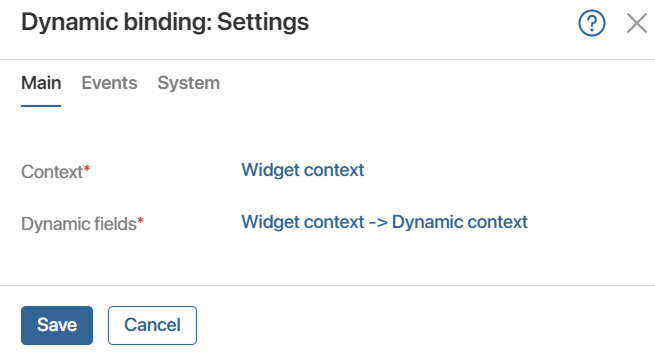
- Context* is populated automatically.
- Dynamic fields*. Select the property of the Arbitrary type from the context of the Calculator widget.
- Save the settings of the Dynamic binding widget.
- Save the settings of the Calculator widget form.
For more examples of using the Dynamic binding widget, see the following articles: