The Content Statistics report is available in the Customer Service workspace under Knowledge Management. Here you can view data on all articles published on the external portal.
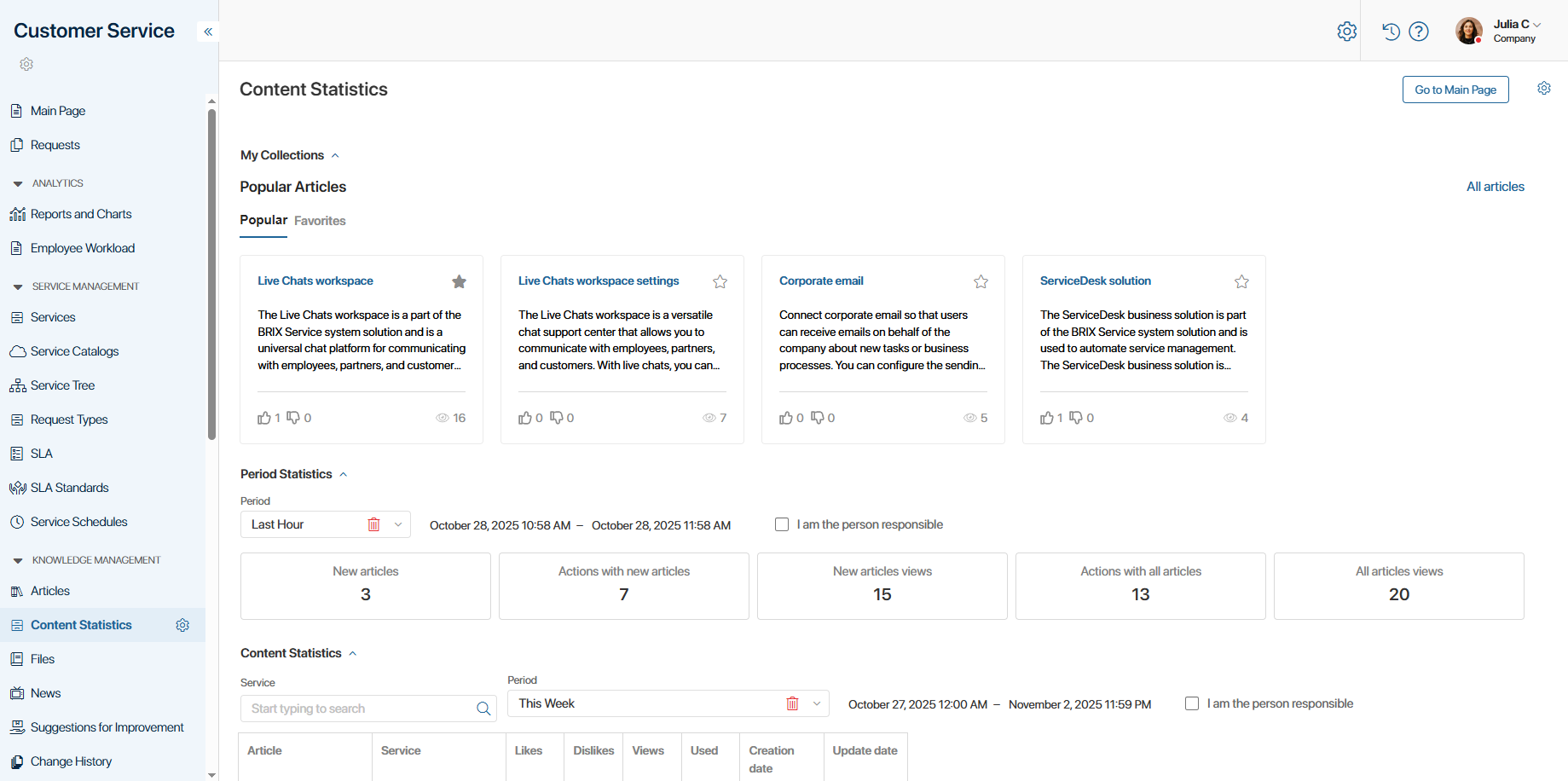
My Collections
At the top of the page, you can see your favorite and popular articles from the knowledge base. To open an article page, click on its title.
Period Statistics
The data is split into groups. It shows the number of articles added to the portal in the last hour, the number of likes and dislikes, and the number of views. It also reflects the number of actions and views for all articles published on the portal.
To view data for a different time period, change the value in the Period field.

Content statistics
The report shows detailed statistics for each article: number of likes, dislikes, and views. You can also see how many times the article was used when closing requests.
To filter articles, specify the related service and period. You can also select only those articles where you are assigned as the person responsible.
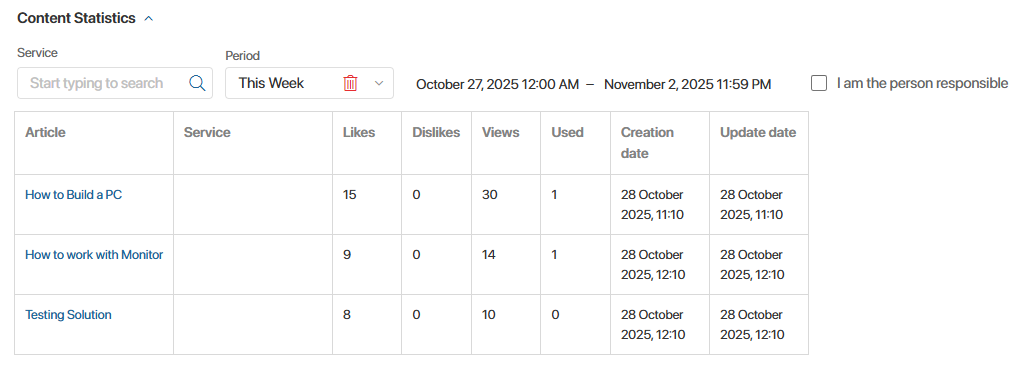
To open an article page, click on its title.