BRIX Full‑Text Search is a system solution for fast full-text search in app properties, as well as the contents of Files-type properties of any text format supported in BRIX.
The solution uses integration with the OpenSearch service, which is designed for quick searching and analyzing large volumes of data. The solution transmits queries and app item data to the service and processes them there. The search results are then sent to BRIX.
начало внимание
BRIX Full‑Text Search solution is available for On‑Premises edition and is activated with a server license.
конец внимание
To use the solution, the system administrator:
- Configures the list of apps and their properties to be searched.
- Creates a page where employees can use full-text search and places the widget included in the solution on this page.
Users can then search for data in app properties and the contents of files stored in app items. To do this, simply start typing a word in the search bar.
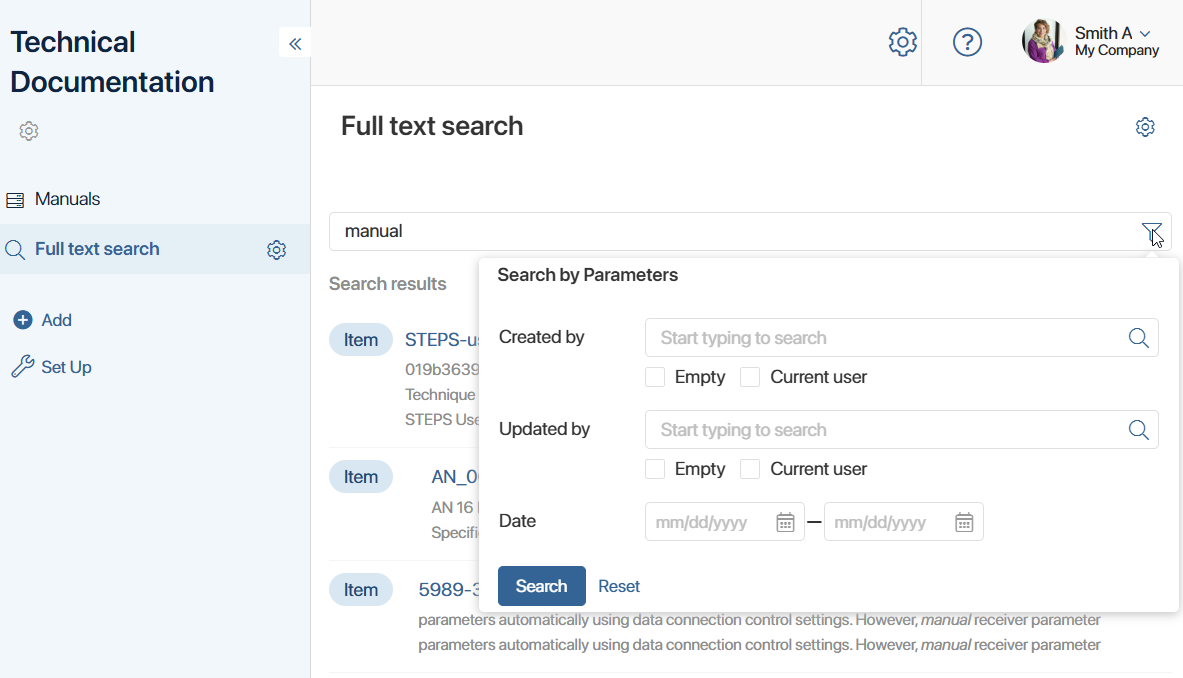
The search result is displayed as a list of links to app items. You will also see text from each item’s data that contains the word entered in the search bar. For example, matches in the item name and the text of the attached file will be displayed. Click the link to open the item page.
Search results take into account:
- User access permissions to app items.
- Filtering parameters if the user has applied them.
- Similar word forms — the result is generated not only by an exact match of the word, but also by its number and tense.
The functionality of the solution is expanded as it is developed.
Components of the BRIX Full-Text Search solution
The solution includes:
- A full-text search widget. It is placed on the page where users search for data.
- The Administration > Full-Text Search page. It allows you to select apps and their properties for a full-text search.
- The fulltextsearcher service integrates BRIX with the OpenSearch service.
- The textextractor service extracts text data from files for further processing in OpenSearch.
To enable the solution, the system administrator installs the OpenSearch service.
Initial setup of the BRIX Full-Text Search solution
The functionality of the solution is available to users after the initial setup, which the system administrator performs in several steps:
- Install the OpenSearch service, as well as the fulltextsearcher and textextractor solution services. For more information, see Install full-text search services in Kubernetes using a Helm package.
- Activate the BRIX Full-Text Search system solution.
- Configure the list of apps and their properties for a full-text search.
- Create a search page, place the full-text search widget on it, and configure access permissions to the page.