You can update configuration-level or component-level translations, for example, after a system update or when adding new custom components. This allows you to retain all previously completed translations and localize only new strings.
To do this, the system administrator needs to:
- Open the translations page:
- For translation at the configuration level, open the Administration workspace and go to the Translations page.
- For translation at the component level:
- For a workspace, click the gear icon next to its name and select Translations from the menu.
- For a module, go to its settings and open the Translations tab.
- Click the three dots to the right of the .po file name and select Regenerate .po File. New resources with empty translations will be added to the file.
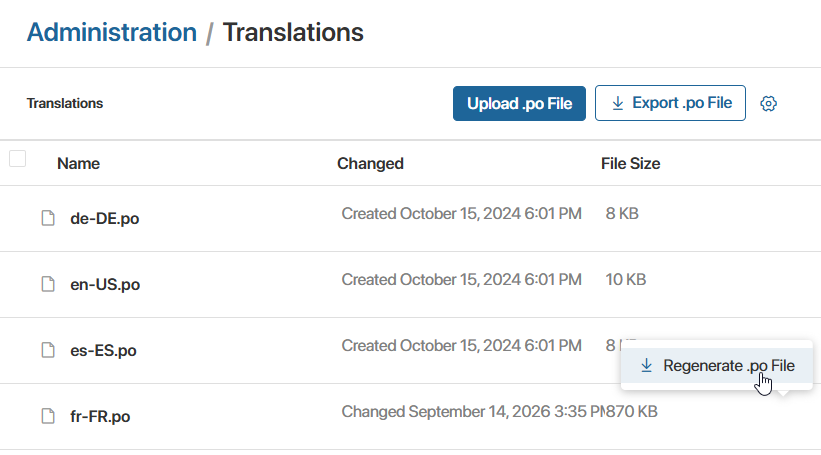
- Download the .po file to your computer and add new translations using dedicated software, such as Poedit.
- Go to the Translations page, select the outdated .po files, and delete them.
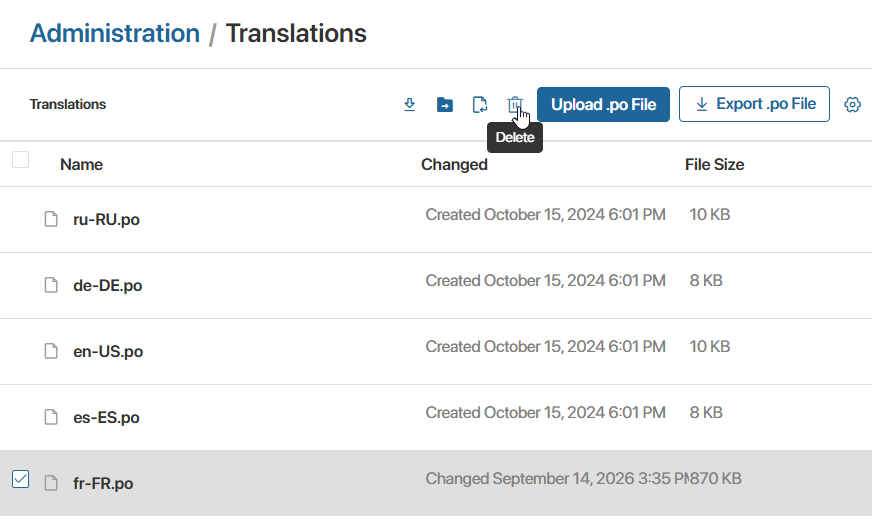
- Click Upload .po File and select the new .po file with completed translations.